Extracting 4G Connectivity Info from Adyen Terminals to Elasticsearch Index

As part of the Use Case for StoreWatch titled Monitoring 4G Connectivity of Adyen Terminals, we are now going ahead and implementing the Pipeline for extracting the cellular connectivity information from Adyen Terminals into Elasticseach Index. This information from Elasticsearch Index can then be subsequently used to prepare Kibana Dashboards, and also for creating PagerDuty Alerts. This blog details out all the components of this pipeline and explains the entire process involved in extracting this information from Adyen Terminals into Elasticsearch Index.
I. Key Components of the Pipeline:
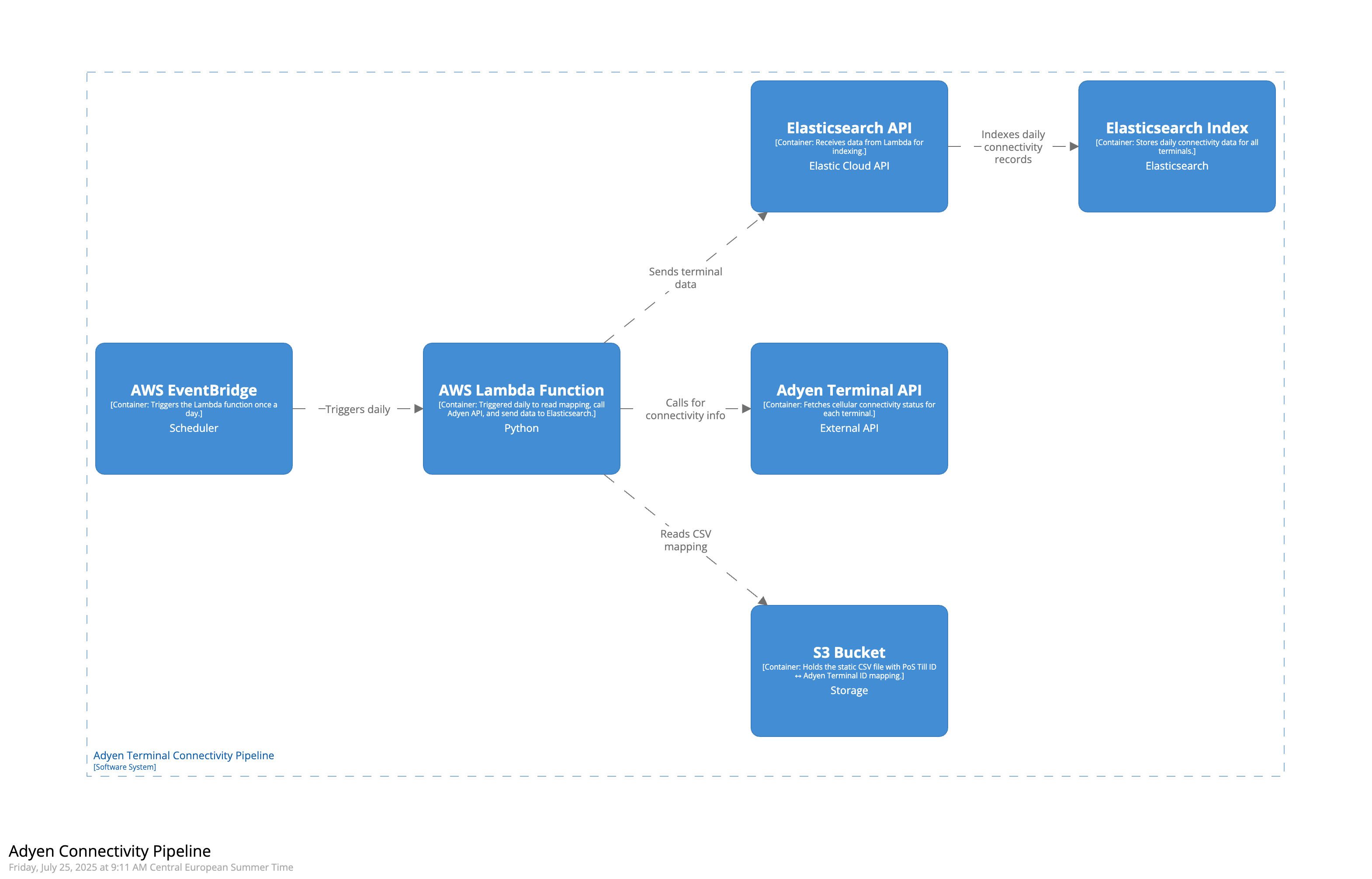 1.1 S3 Bucket: Stores the CSV mapping between PoS Till IDs and Adyen Terminal IDs, which acts as the source input for our Lambda function.
1.2 Adyen Terminal API: Provides the cellular connectivity status (simcardStatus) for each terminal based on its Terminal ID.
1.3 Elasticsearch API: Acts as the integration layer allowing our Lambda function to send formatted documents directly into Elasticsearch.
1.4 Elasticsearch Index: A time-series data stream index that stores daily logs of terminal connectivity for each PoS Till.
1.5 AWS Lambda Function: Automates the entire workflow by reading mapping files, calling Adyen APIs, and pushing results to Elasticsearch.
1.6 AWS EventBridge: Schedules and triggers the Lambda function every night at 1 AM UTC to ensure daily ingestion without manual effort.
1.1 S3 Bucket:
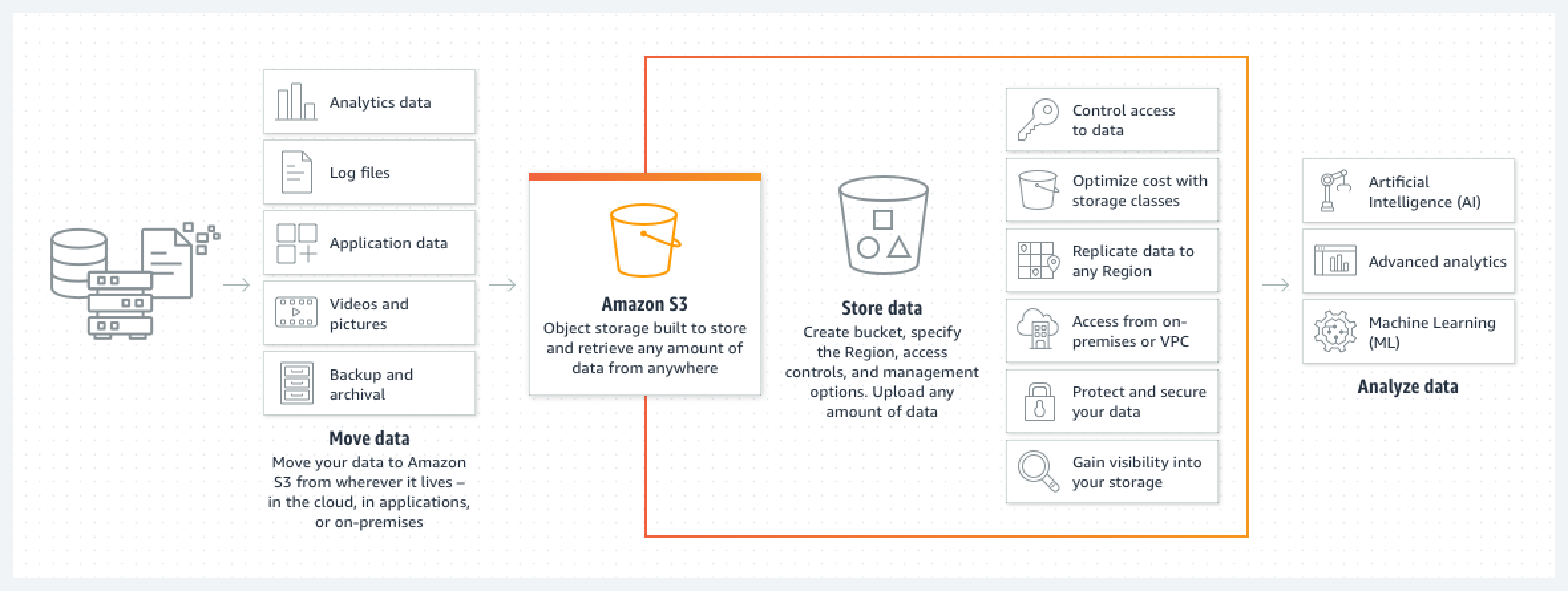 We created an Amazon S3 bucket named
 adyen-terminal-mapping in which we uploaded a .csv file named adyen_terminal_id.csv manually, including information about all the PoS Till ID and its linked Adyen Terminal ID within Europe. We received this .csv file from the End User Infrastructure Team at PVH. It is also important for us to understand that at this moment, this is a manual step in our pipeline and in case we have new Adyen Terminals which are not available at the moment, we need to manually upload the new .csv file in the s3 bucket is the expected format. Eventually, we should also think of automating this step instead of keeping this as a manual step. This file will be used by AWS Lambda function as input for performing the subsequent operations as part of our pipeline. This .csv file is structured in a two column format where each row maps one PoS Till ID to one Terminal ID. Here’s a sample of how it looks:
till_id,terminal_id
uk-aq25till04,V400m-347401647
uk-aq27till02,V400m-347401648
uk-bc10till01,V400m-347401649
It’s important to note that in the .csv file, one PoS Till ID can be linked to multiple Adyen Terminal IDs, but not the other way around. This means multiple terminals can exist within a single till (e.g., multiple payment devices at one counter), but each terminal belongs to only one till.
1.2 Adyen Terminal API:
 The Adyen Terminal API allows us to extract the cellular connectivity status of each payment terminal. Each Adyen Terminal has a unique Terminal ID (e.g.,
 V400m-347401647), which the API accepts as input to return connectivity metrics. However, in our wider observability setup, the primary identifier used across Elastic logs is the PoS Till ID (e.g., uk-aq25till04). Therefore, we maintain a mapping between PoS Till IDs and Adyen Terminal IDs, enabling us to associate the connectivity status of a terminal with its originating till. This correlation is critical for log analysis, alerting, and visualization allowing us to answer not just “is the terminal online?” but also “which till is affected?”
To securely access the Adyen API from within our AWS Lambda function, we use a production API key provided by the Omni Finance team at PVH. This key is stored in AWS Systems Manager (SSM) Parameter Store as a SecureString under a parameter name /adyen/api/key. This ensures the key is never hardcoded and is decrypted only at runtime within the Lambda.
We make use of the below mentioned Adyen API endpoint:
GET https://management-live.adyen.com/v3/terminals/{terminalId}/terminalSettingsBelow is a sample cURL command and the full response returned for one specific Adyen Terminal with Terminal ID V400m-347388705:
Sample Input:
curl --location 'https://management-live.adyen.com/v3/terminals/V400m-347388705/terminalSettings' \
--header 'x-API-key: <HIDDEN>' \
--header 'Content-Type: application/json'
Sample Output:
{
"cardholderReceipt": {
"headerForAuthorizedReceipt": "header1,header2,filler"
},
"nexo": {
"notification": {
"category": "",
"details": "",
"enabled": false,
"showButton": true,
"title": ""
}
},
"opi": {
"enablePayAtTable": false
},
"receiptPrinting": {
"merchantApproved": true,
"merchantRefused": true,
"merchantCancelled": true,
"merchantRefundApproved": true,
"merchantRefundRefused": true,
"merchantCaptureApproved": false,
"merchantCaptureRefused": false,
"merchantVoid": true,
"shopperApproved": true,
"shopperRefused": true,
"shopperCancelled": true,
"shopperRefundApproved": true,
"shopperRefundRefused": true,
"shopperCaptureApproved": false,
"shopperCaptureRefused": false,
"shopperVoid": true
},
"refunds": {
"unreferenced": {
"enableUnreferencedRefunds": true
}
},
"signature": {
"askSignatureOnScreen": false
},
"hardware": {
"resetTotalsHour": 22
},
"connectivity": {
"simcardStatus": "ACTIVATED"
},
"offlineProcessing": {
"chipFloorLimit": 10000
},
"standalone": {
"enableStandalone": true,
"currencyCode": "SEK"
},
"payment": {
"contactlessCurrency": "SEK"
},
"localization": {
"language": "se",
"timezone": "Europe/Stockholm"
},
"terminalInstructions": {
"adyenAppRestart": false
}
}In the above mentioned response, the key piece of information relevant to our pipeline is:
{
  ...
  "connectivity": {
    "simcardStatus": "ACTIVATED"
  },
  ...
}
This indicates whether the terminal’s SIM card is activated or not. This is the exact value that our Lambda function extracts daily and sends to the Elasticsearch index, allowing us to extract the cellular connectivity status of adyen terminals into Elasticsearch Index.
1.3 Elasticsearch API:
 The Elasticsearch API acts as the bridge between our AWS Lambda function and the Elasticsearch index where we store the Adyen terminal connectivity data. Every time the Lambda function fetches connectivity status from the Adyen Terminal API, it formats the results into structured documents and sends them to Elasticsearch using this API. The Elasticsearch API allows our Lambda function to push data in real time to the Elasticsearch index. Without this API, the Lambda function would have no way to ingest documents into our observability platform.
In our setup, we are using Elastic Cloud, and the Elasticsearch API endpoint takes the form of a secure URL (e.g., https://xxxx.eu-central-1.aws.cloud.es.io:443). To authenticate calls to this endpoint, we use an Elasticsearch API key that grants the Lambda permission to write data into the target index. To follow best practices and ensure secure handling of credentials, we do not hardcode this key inside the function. Instead, the API key is stored in AWS Systems Manager (SSM) Parameter Store as a SecureString under the path /observability/ec/emea/storewatch/enrichments/apikey. During runtime, the Lambda function retrieves this API key and attaches it to each request made to the Elasticsearch API.
1.4 Elasticsearch Index:
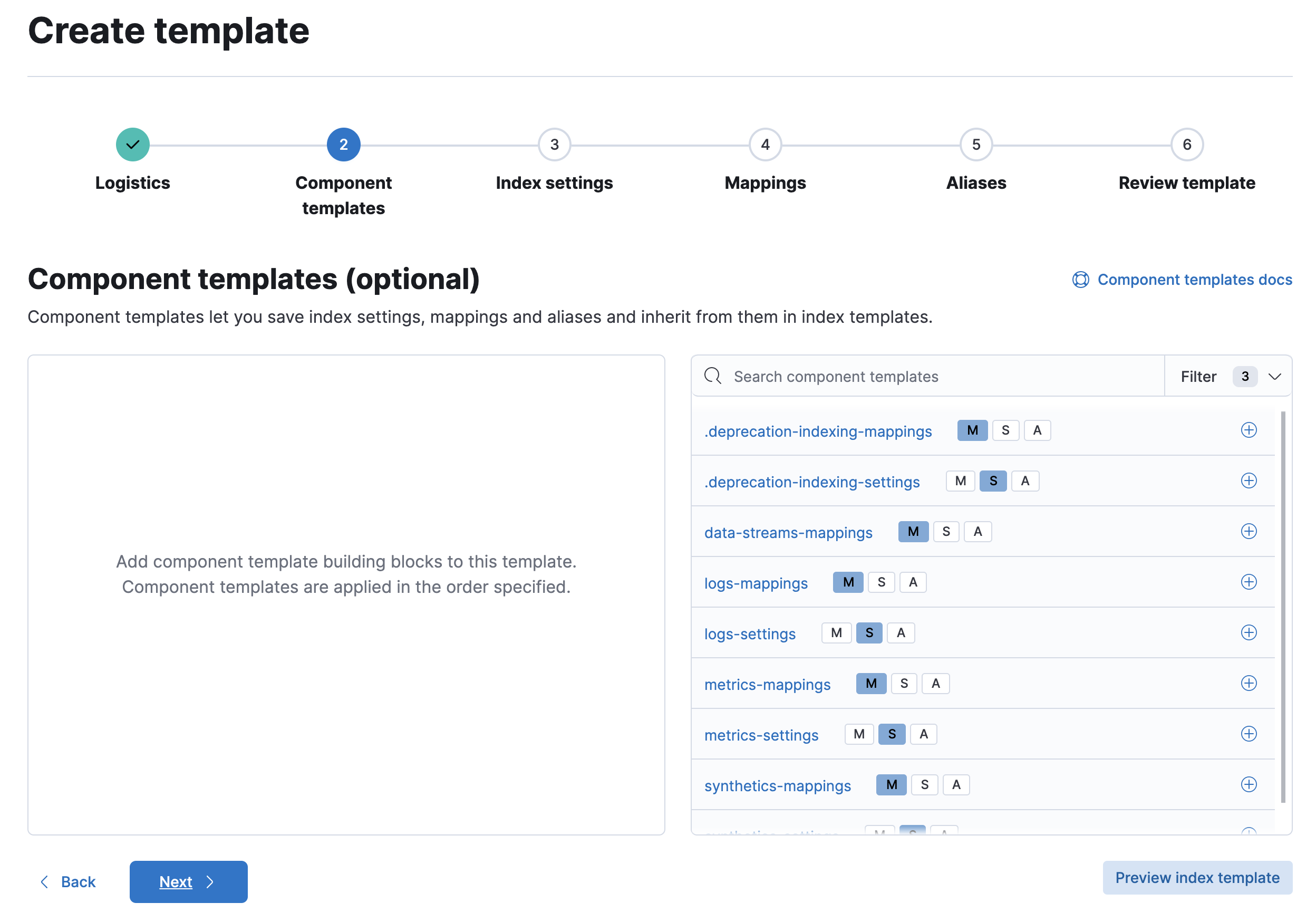 The Elasticsearch Index is the final destination in our pipeline where the cellular connectivity information of Adyen terminals is stored each day. Once our AWS Lambda function fetches the
 simcardStatus for each terminal using the Adyen API, it formats that information into structured documents and sends them to this index via the Elasticsearch API.
The name of the index we’ve created is logs-storewatch-terminal-information-eu_pos_gk_till, and it’s implemented as a time-series data stream in Elasticsearch. This means that each document inserted must include a @timestamp, and Elasticsearch will automatically create daily backing indices behind the scenes (e.g., .ds-logs-storewatch-terminal-information-eu_pos_gk_till-2025.07.24-000001). To create this index and its associated mapping, we executed the following commands in the Elastic Dev Console:
Step-1: Define the Index Template:
PUT _index_template/storewatch-terminal-template
{
  "index_patterns": ["logs-storewatch-terminal-information-eu_pos_gk_till*"],
  "data_stream": {},
  "template": {
    "mappings": {
      "properties": {
        "@timestamp": { "type": "date" },
        "agent": {
          "properties": {
            "name": { "type": "keyword" }
          }
        },
        "terminal_metadata": {
          "properties": {
            "terminal_id": { "type": "keyword" },
            "simcard_status": { "type": "keyword" }
          }
        },
        "event": {
          "properties": {
            "ingested": { "type": "date" }
          }
        }
      }
    }
  }
}
Step-2: Create the Data Stream:
PUT /_data_stream/logs-storewatch-terminal-information-eu_pos_gk_tillOnce the above setup was complete, Elasticsearch began managing the index as a time-based data stream. Each document is now automatically routed to the correct backing index based on the @timestamp value. Below, you can see what a sample document in this index looks like:
{
  "_index": ".ds-logs-storewatch-terminal-information-eu_pos_gk_till-2025.07.24-000001",
  "_id": "uk-aq25till04-V400m-347401647-2025-07-24T00:00:00Z",
  "_source": {
    "@timestamp": "2025-07-24T00:00:00Z",
    "agent": {
      "name": "UK-AQ25TILL04"
    },
    "terminal_metadata": {
      "terminal_id": "V400m-347401647",
      "simcard_status": "ACTIVATED"
    },
    "event": {
      "ingested": "2025-07-24T00:00:10Z"
    }
  }
}
1.5 AWS Lambda Function:
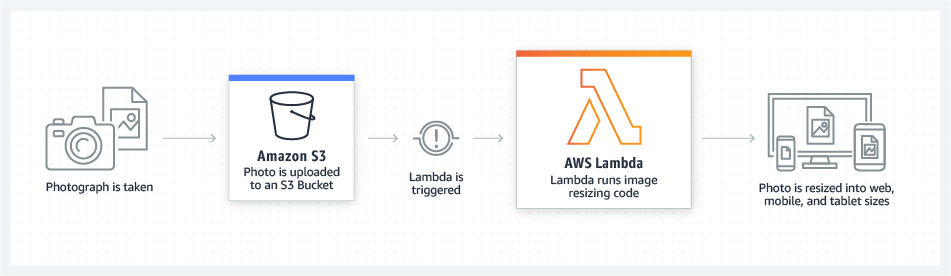 The AWS Lambda function in our pipeline acts as the automation engine that ties everything together. The function begins by securely retrieving a mapping file from an S3 bucket, which links PoS till IDs with their corresponding Adyen terminal IDs. It also fetches API keys stored safely in AWS SSM Parameter Store, one for accessing Adyen’s terminal management API and another for authenticating with our Elasticsearch instance.
For each terminal in the mapping, the function makes an API call to Adyen to check its current 4G SIM card status. These results are then converted into structured log documents, enriched with metadata as can be seen in sub-section 1.4 Elasticsearch Index. Finally, the Lambda function sends all the structured documents in bulk to a time-series Elasticsearch index named logs-storewatch-terminal-information-eu_pos_gk_till. Any terminals that can’t be processed (e.g. due to API errors or being decommissioned) are logged and skipped.
Our AWS Lambda function named storewatch-terminal-connectivity can be seen below for reference:
import boto3
import csv
import io
import os
import json
import requests
import logging
from datetime import datetime, timezone
from elasticsearch import Elasticsearch
from elasticsearch._async.client import DEFAULT
from elasticsearch.helpers import bulk, BulkIndexError
# Configure logging
logger = logging.getLogger()
logger.setLevel(logging.INFO)
# Constants (can also be injected as env vars)
S3_BUCKET = "adyen-terminal-mapping"
S3_KEY = "adyen_terminal_id.csv"
REGION = "eu-central-1"
ES_INDEX = "logs-storewatch-terminal-information-eu_pos_gk_till"
# SSM parameter names
ADYEN_API_KEY_PARAM = "/adyen/api/key"
ES_API_KEY_PARAM = "/observability/ec/emea/storewatch/enrichments/apikey"
# SSM and S3 clients
ssm = boto3.client('ssm', region_name=REGION)
s3 = boto3.client('s3')
def get_ssm_secret_value(param_name):
    """Fetches a SecureString from AWS SSM Parameter Store."""
    try:
        response = ssm.get_parameter(Name=param_name, WithDecryption=True)
        return response['Parameter']['Value']
    except Exception as e:
        logger.error(f"Error retrieving {param_name} from SSM: {e}")
        raise
def get_mapping_from_s3():
    """Reads the CSV mapping from S3 and returns a list of dictionaries."""
    try:
        response = s3.get_object(Bucket=S3_BUCKET, Key=S3_KEY)
        content = response['Body'].read().decode('utf-8')
        csv_reader = csv.DictReader(io.StringIO(content))
        mapping = [row for row in csv_reader]
        logger.info(f"Successfully read {len(mapping)} mappings from S3.")
        return mapping
    except Exception as e:
        logger.error(f"Error reading CSV from S3: {e}")
        raise
def fetch_terminal_status(terminal_id, api_key):
    """Calls the Adyen API to fetch simcardStatus for a given terminal."""
    try:
        url = f"https://management-live.adyen.com/v3/terminals/{terminal_id}/terminalSettings"
        headers = {
            "x-API-key": api_key,
            "Content-Type": "application/json"
        }
        response = requests.get(url, headers=headers, timeout=10)
        if response.status_code == 422:
            logger.warning(f"Terminal {terminal_id} is invalid or not processable (422). Skipping.")
            return "UNPROCESSABLE"
        response.raise_for_status()
        data = response.json()
        return data.get("connectivity", {}).get("simcardStatus", "UNKNOWN")
    except requests.exceptions.RequestException as e:
        logger.warning(f"Failed to fetch status for terminal {terminal_id}: {e}")
        return "ERROR"
def build_es_document(till_id, terminal_id, sim_status, timestamp_iso):
    """Builds a single document for Elasticsearch."""
    return {
    "_index": ES_INDEX,
    "_op_type": "create",  # Required for data streams
    "_source": {
        "@timestamp": timestamp_iso,
        "agent": {
            "name": till_id.upper()
        },
        "terminal_metadata": {
            "terminal_id": terminal_id,
            "simcard_status": sim_status
        },
        "event": {
            "ingested": datetime.now(timezone.utc).isoformat()
        }
    }
}
def send_bulk_to_elasticsearch(docs, es_url, es_api_key):
    """Sends documents to Elasticsearch using the bulk helper."""
    try:
        es_client = Elasticsearch(
            es_url,
            api_key=es_api_key,
            request_timeout=30
        )
        headers = {
            "Accept": "application/vnd.elasticsearch+json; compatible-with=8",
            "Content-Type": "application/vnd.elasticsearch+json; compatible-with=8"
        }
        logger.info("Sending bulk request with compatibility headers set to v8.")
        success, failed = bulk(es_client, docs, headers=headers)
        logger.info(f"Elasticsearch bulk insert: success={success}, failed={len(failed)}")
        if failed:
            logger.warning(f"Sample failed documents: {failed[:3]}")
    except BulkIndexError as e:
        logger.error(f"BulkIndexError: {e.args[0]}")
        if len(e.args) > 1 and isinstance(e.args[1], list):
            for i, error in enumerate(e.args[1][:5]):  # print first 5 failures
                logger.error(f"[{i+1}] Failed doc: {json.dumps(error)}")
        else:
            logger.error("BulkIndexError had no error list in args.")
        raise
    except Exception as e:
        logger.error(f"Error during bulk insert to Elasticsearch: {e}", exc_info=True)
        raise
def lambda_handler(event, context):
    logger.info("Lambda execution started.")
    timestamp_iso = datetime.now(timezone.utc).isoformat()
    try:
        # Step 1: Get API keys
        adyen_api_key = get_ssm_secret_value(ADYEN_API_KEY_PARAM)
        es_api_key = get_ssm_secret_value(ES_API_KEY_PARAM)
        es_url = os.environ.get("ES_HOST")  # Should be set as Lambda environment variable
        # Step 2: Read PoS Till ↔ Terminal mapping from S3
        mapping = get_mapping_from_s3()
        # Step 3: Process each terminal
        documents = []
        for row in mapping:
            till_id = row.get("till_id", "").strip()
            terminal_id = row.get("terminal_id", "").strip()
            if not till_id or not terminal_id:
                logger.warning(f"Skipping invalid row: {row}")
                continue
            sim_status = fetch_terminal_status(terminal_id, adyen_api_key)
            doc = build_es_document(till_id, terminal_id, sim_status, timestamp_iso)
            documents.append(doc)
        # Step 4: Send to Elasticsearch
        if documents:
            send_bulk_to_elasticsearch(documents, es_url, es_api_key)
        else:
            logger.warning("No valid documents to send to Elasticsearch.")
        logger.info("Lambda execution completed successfully.")
        return {"statusCode": 200, "body": f"Processed {len(documents)} documents."}
    except Exception as e:
        logger.error(f"Unhandled error during Lambda execution: {e}", exc_info=True)
        return {"statusCode": 500, "body": "Error during execution."}
# End of Python Script
1.6 AWS EventBridge:
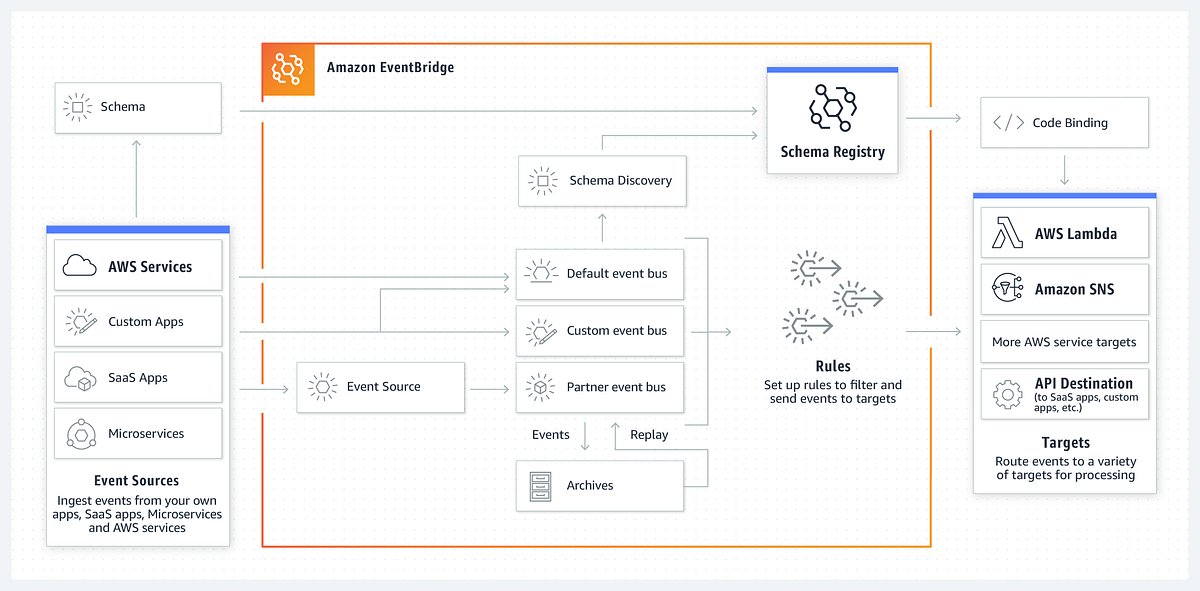 AWS EventBridge is used in our pipeline to automate the execution of the Lambda function that extracts Adyen terminal connectivity status and pushes it into Elasticsearch index. Instead of requiring a manual trigger, EventBridge acts like a smart scheduler that ensures our Lambda function runs consistently every night at 1 AM UTC without any human intervention. This guarantees that our monitoring data is refreshed once every day.
We use a cron-based rule within EventBridge to define this schedule. The cron expression 0 1 * * ? * ensures execution every day at the same time. EventBridge connects to our Lambda function and passes control to it, so the rest of the pipeline (including reading the mapping from AWS S3, hitting Adyen APIs, and writing to Elasticsearch index) can proceed as expected.
II. Flow of the Pipeline:
 To help give clarity about how our enrichment pipeline functions end-to-end, below is a step-by-step explanation of the flow, in the exact order:
-
Firstly, every night at 1 AM UTC, AWS EventBridge triggers our scheduled Lambda function automatically using a cron-based schedule. This eliminates any need for manual involvement and ensures the pipeline runs every day.
-
Secondly, the Lambda function begins its execution and first reads the latest terminal mapping file (
adyen_terminal_id.csv) from an S3 bucket. This CSV file contains the relationship between Point-of-Sale (PoS) Till IDs and Adyen Terminal IDs. -
Thirdly, for each terminal ID in this mapping file, the Lambda function calls Adyen’s Terminal Management API to fetch the SIM card connectivity status. This step determines whether the terminal is currently active, or has another connectivity status. The function handles failures gracefully e.g. if a terminal returns a 422 Unprocessable Entity error, it logs the issue and skips that terminal.
-
Fourthly, for every valid terminal response, the Lambda function builds structured documents that contain the PoS Till ID, Terminal ID, connectivity status, and other metadata (including
@timestampand ingestion time). -
Fifthly, the Lambda function then sends all the documents in bulk to Elasticsearch, inserting them into the designated data stream index (
logs-storewatch-terminal-information-eu_pos_gk_till).
Once the bulk insert is complete, the function logs the number of documents successfully ingested and exits. This pipeline ensures that we always have up-to-date connectivity information for our Adyen terminals on elasticsearch index.
III. Conclusion
 This Blog provided a complete walkthrough of the pipeline we’ve implemented as part of the StoreWatch Use Case titled Monitoring 4G Connectivity of Adyen Terminals. The goal of this pipeline is to automatically extract the daily SIM card status of payment terminals and push that information into a structured Elasticsearch data stream, enabling downstream use cases including but not limited to dashboarding in Kibana and real-time alerting through PagerDuty. Each component ranging from the Amazon S3 bucket and Adyen Terminal API to the AWS Lambda function and EventBridge scheduler was explained to understand how the system works.
This pipeline is one possible approach among many to solving the challenge of collecting, enriching, and storing connectivity metadata from external APIs like Adyen. While this implementation uses AWS native services like Lambda, SSM, and EventBridge for orchestration and automation, other architectural variations (e.g. containerized tasks, Step Functions, or external ETL tools) could also be used to accomplish the same outcome. The choices made here are by no means the only correct way to build such a pipeline.
As always, constructive feedback and suggestions are welcome. If any reader have ideas on how to improve this solution whether in terms of performance, security, cost, maintainability, etc. please feel free to share them. The goal is not just to implement a pipeline, but to continuously refine it so that it serves our monitoring use case and supports the broader StoreWatch initiative.